No Hot Water? PulsaCoil Refill and Troubleshooting Guide
If you do not have hot water, the PulsaCoil may be switched off, the timer or controller may be set incorrectly, or the manual top-up tank may need to be refilled.
The PulsaCoil is normally located inside the storage room, airing cupboard, or utility cupboard. The most common issue at this property is a low water level in the small top-up tank located above the main unit.
Tenants are responsible for completing the safe troubleshooting steps below before a technician is booked. At this property, the manual top-up tank may need to be checked and refilled periodically, normally around two or three times per year.
If the problem continues after all the steps have been completed, please open a maintenance task with the required photos and information. This allows us to arrange the correct technician without unnecessary delays.
Important Safety Notice
- Do not remove the main PulsaCoil cover.
- Do not touch wiring, immersion heaters, pumps, or internal components.
- Do not attempt to reset an internal thermostat or overheat cut-out.
- Only open the separate top-up tank shown in the video.
- Use cold water only when refilling the tank.
- Do not overfill the top-up tank.
- If the tank or surrounding pipework is very hot, releasing steam, leaking, or damaged, stop and report the issue.
- If there is a burning smell, sparks, overheating, or electrical damage, switch the system off where safe and report it immediately.
Video Guide
The video below shows several PulsaCoil arrangements. The system at this property must be manually refilled using a bucket.
Please watch:
- 00:35–01:00: how to refill the top-up tank
- 03:21–04:40: how to check the power switch
- 05:03–05:42: how to check the controller or thermostat settings
Step-by-Step Checks
1. Locate the PulsaCoil
The PulsaCoil is normally located in the storage room or airing cupboard. The main unit is a large cylinder or rectangular thermal store.
Look above the main unit for a smaller header or top-up tank with a removable lid. This is the only tank that should be opened by the tenant.
2. Check the external power switches
Check that the external wall switches serving the PulsaCoil are switched on. There may be separate switches for the main off-peak heating element, the boost element, and the control circuit.
Where fitted, the switches may have red indicator lights showing that they are on. Do not remove switch covers or touch any wiring.
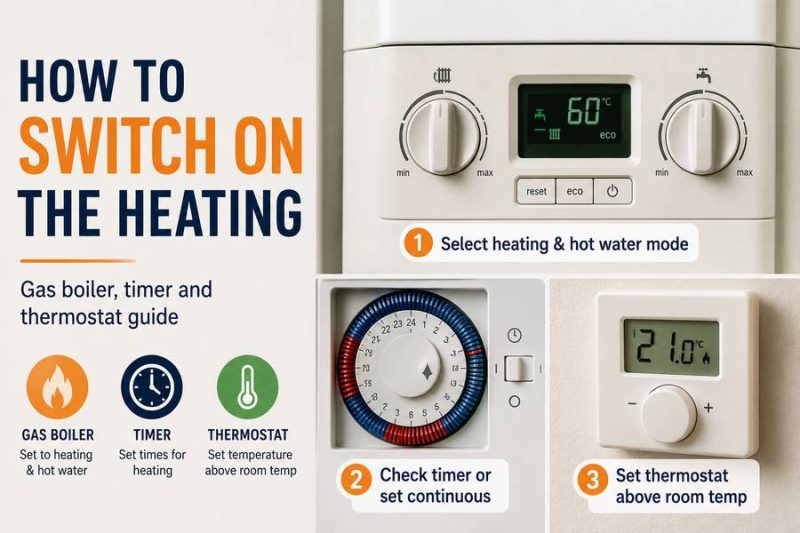
3. Check the timer or controller
Check whether the timer or hot water controller is set to the correct mode. Depending on the controller, the available settings may include:
- Off
- Timed
- On or continuous
- Boost
- Advance
If there is a separate controller, check its make and model number. Search the make and model online to find the correct user manual or an instructional video.
Only adjust the external buttons and settings. Do not remove covers or attempt to access an internal thermostat.
4. Check the manual top-up tank
Carefully remove the lid from the small top-up tank located above the PulsaCoil. Do not open the main unit.
If the tank is empty or the water level is very low, it needs to be refilled.
If you notice steam, very hot water, damage, contamination, or a leak around the tank, replace the lid and report the issue instead of continuing.
5. Refill the tank with cold water
Fill a clean bucket with cold tap water. Slowly pour one full bucket into the top-up tank, following the method shown between 00:35 and 01:00 in the video.
Pour slowly to avoid splashing or overflowing. Do not continue adding water if the tank is already full or water begins to overflow.
6. Securely replace the lid
Once the tank has been refilled, securely replace the lid. The lid must be fitted correctly to reduce evaporation and prevent dirt or debris from entering the tank.
7. Restart the PulsaCoil
Restart the system using the external wall switch in the storage room.
- Switch the system off.
- Wait approximately 30 seconds.
- Switch it back on.
Do not repeatedly switch the system on and off.
8. Use the boost function if necessary
If hot water is required urgently, use the external boost control where available. The boost generally heats only the upper section of the thermal store and is intended to provide a limited amount of hot water.
The main lower heating element normally heats the full store during its programmed or off-peak period, so the system may not produce a full supply of hot water immediately.
9. Allow sufficient heating time
After refilling and restarting the system, allow sufficient time for the stored water to heat. The boost function may provide some hot water sooner, but the full thermal store can take several hours to reach its normal temperature.
If You Are Unsure About the Controller
PulsaCoil systems may be fitted with different timers and controllers. Check the make and model printed on the controller and search for the manufacturer’s manual online.
There are usually PDF manuals and instructional videos available for common controllers. Make sure the instructions match the exact make and model installed at the property.
If you cannot identify the controller or are unsure how to operate it, please upload a clear photo when opening the maintenance task.
Photos and Information Required
If there is still no hot water after completing the steps above, please open a maintenance task and provide:
- A clear photo of the complete PulsaCoil unit
- A photo of the top-up tank before refilling
- A photo of the top-up tank after refilling
- A clear photo of the external switches and indicator lights
- A clear photo of the timer, thermostat, or controller
- The make and model of the PulsaCoil, if visible
- The make and model of the controller, if visible
- A photo or video showing any warning lights or fault indication
- Confirmation that one bucket of cold water was added
- Confirmation that the top-up tank lid was replaced securely
- Confirmation that the external switches are on
- Confirmation that the controller settings were checked
- Confirmation that the system was restarted once
- Confirmation of how long the system was left to heat afterwards
When to Report the Issue Immediately
Stop troubleshooting and report the issue immediately if:
- There is water leaking from the PulsaCoil, top-up tank, or pipework
- The top-up tank empties again shortly after being refilled
- The system needs refilling unusually frequently
- There is steam or very hot water around the top-up tank
- There is a burning smell, sparking, or electrical damage
- The external switch or controller becomes unusually hot
- The system repeatedly trips the fuse box
- There is still no hot water after refilling, restarting, and allowing sufficient heating time
Possible Technician Charges
If a technician attends and the issue is found to have been caused by the top-up tank being empty, the external switches being off, the controller being set incorrectly, or the basic troubleshooting steps not being completed, the call-out charge may be recharged to the tenant.
If the PulsaCoil repeatedly loses water, has a leak, has a failed immersion heater, pump, controller, sensor, or another genuine electrical or mechanical fault not caused by tenant use, the landlord will normally be responsible for arranging the repair.
By submitting a maintenance task, you are confirming that the safe troubleshooting steps above have been completed, unless there is a leak, electrical danger, or another urgent safety concern.